
| Attachment | Size |
|---|---|
 1.jpg 1.jpg | 1.14 MB |
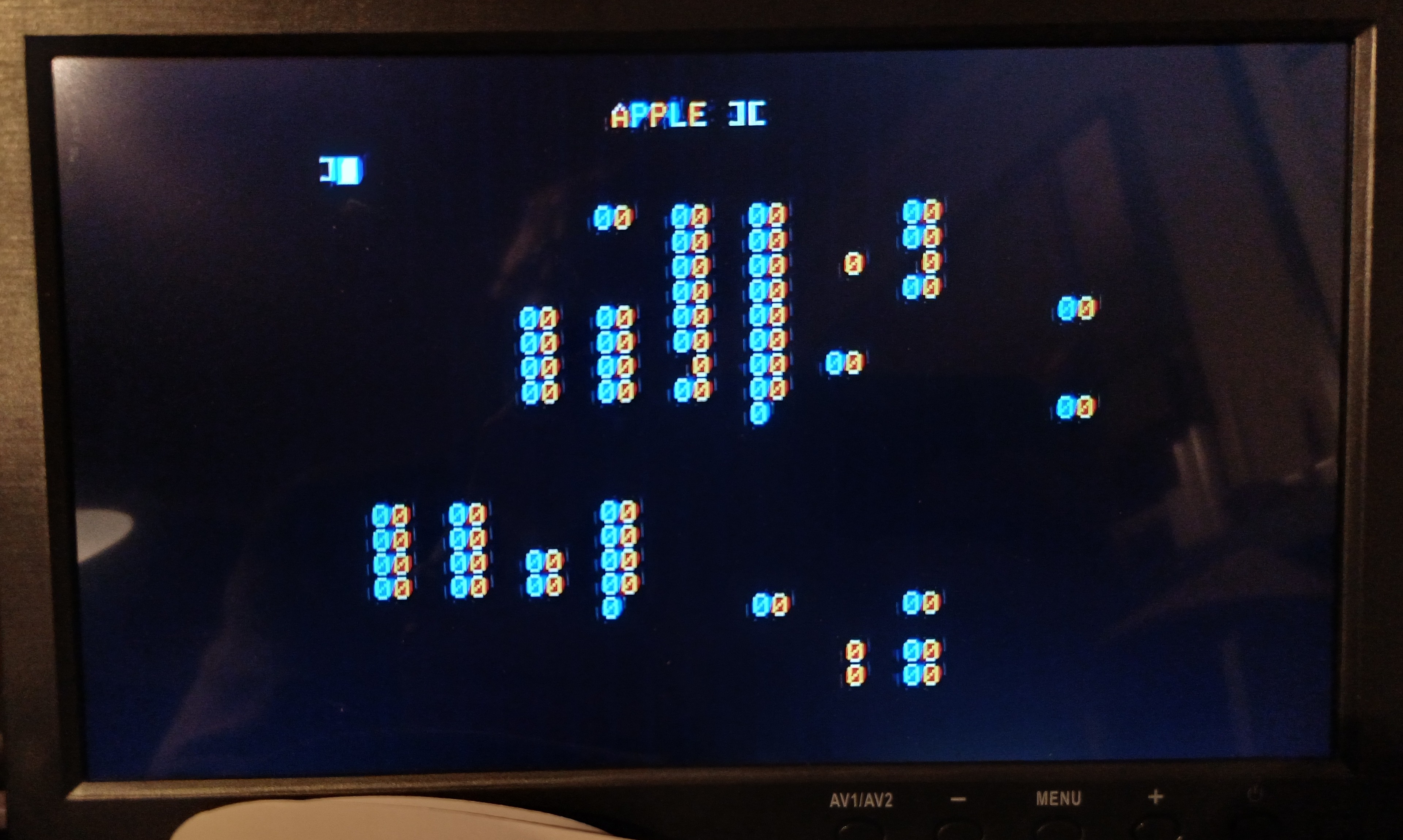
Hi, I have an Apple II + that has started to behave rather strange. ( Apple II plus motherboard 820-0044-D RFI NTSC). The screen starst to show several zero on the blank screen. On starting up its perfect and its running fine and can read from floppy disks. After some minutes the zeros starts to appear. First som few zeroes, gradually increasing
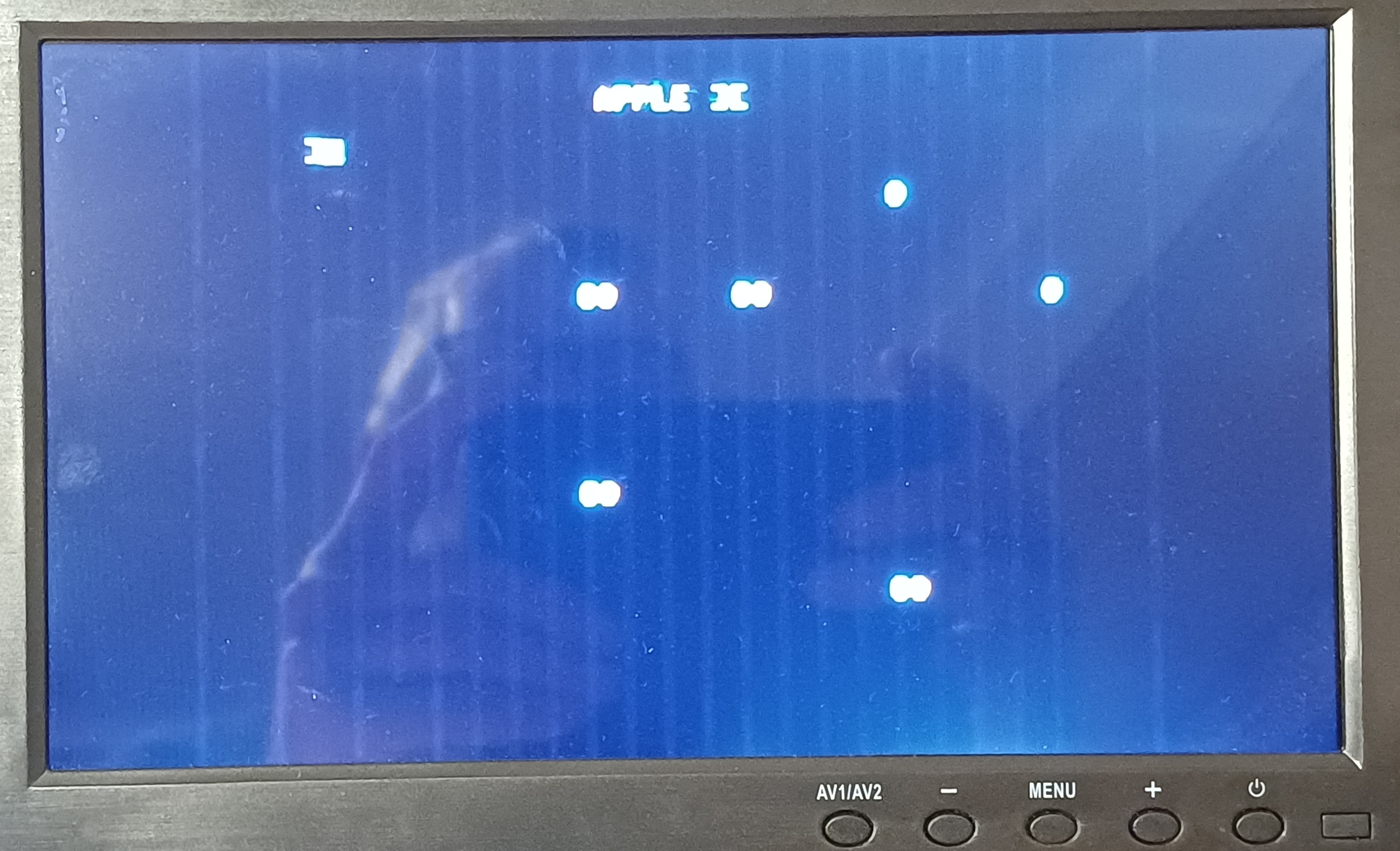
I have disconnected language card, floppy disk card and keyboard, but the zeros are still coming gradually.
After 30 min the screen looks like this.
I first thought that this was a RAM problem, but I used the RAM test described in Understanding the Apple II by Sather, p 10-8
https://www.applefritter.com/content/apple-ii-bad-memoryrom
The result is as follows:
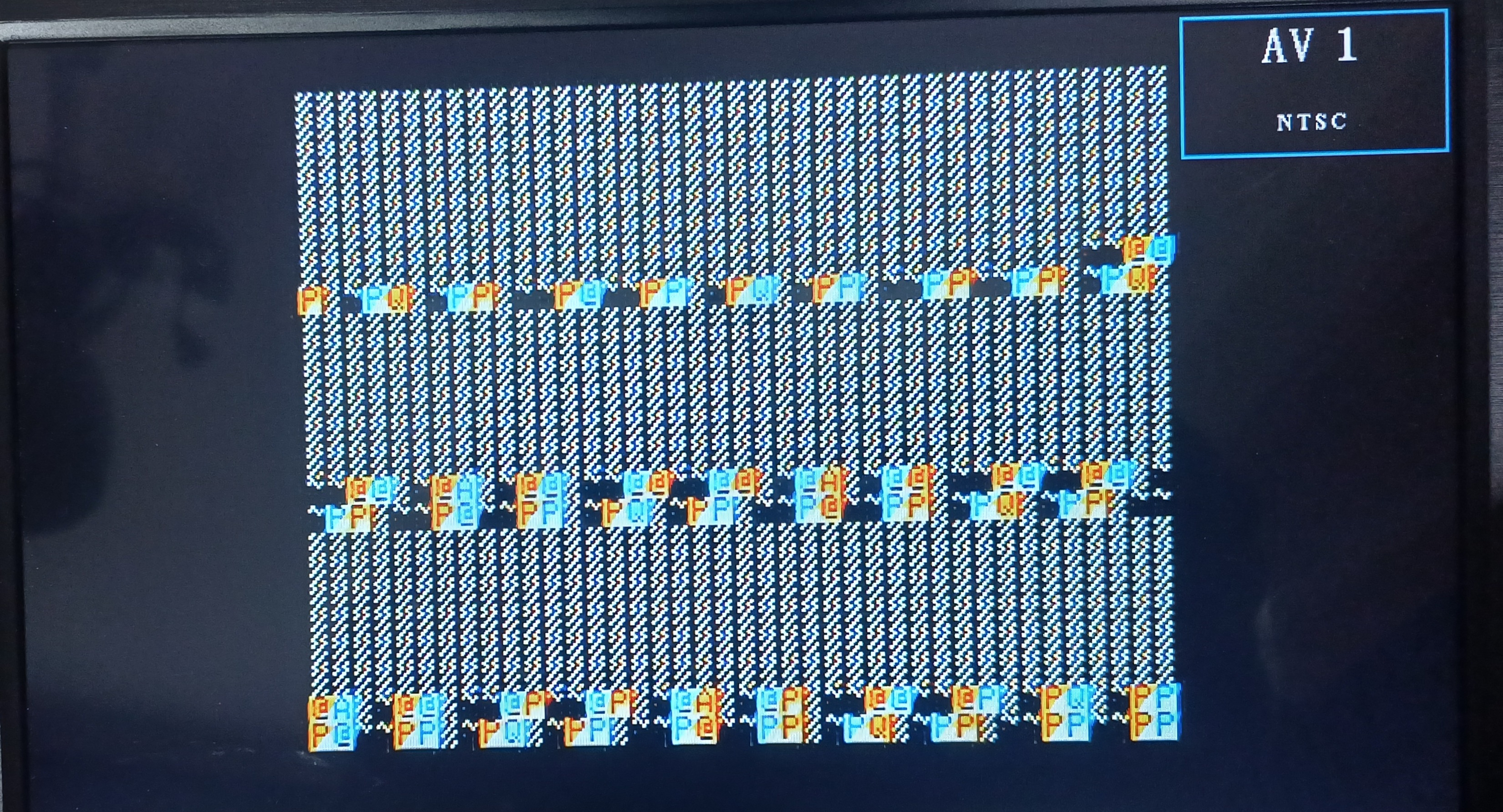
No indication of bad RAM as I understand.
I use a lcd monitor that can show both AVI and VGA. I use a VGA adapter: https://github.com/markadev/AppleII-VGA
The strange thing is that it looks ok with the VGA adapter but full of zeroes when I switch to AVI.
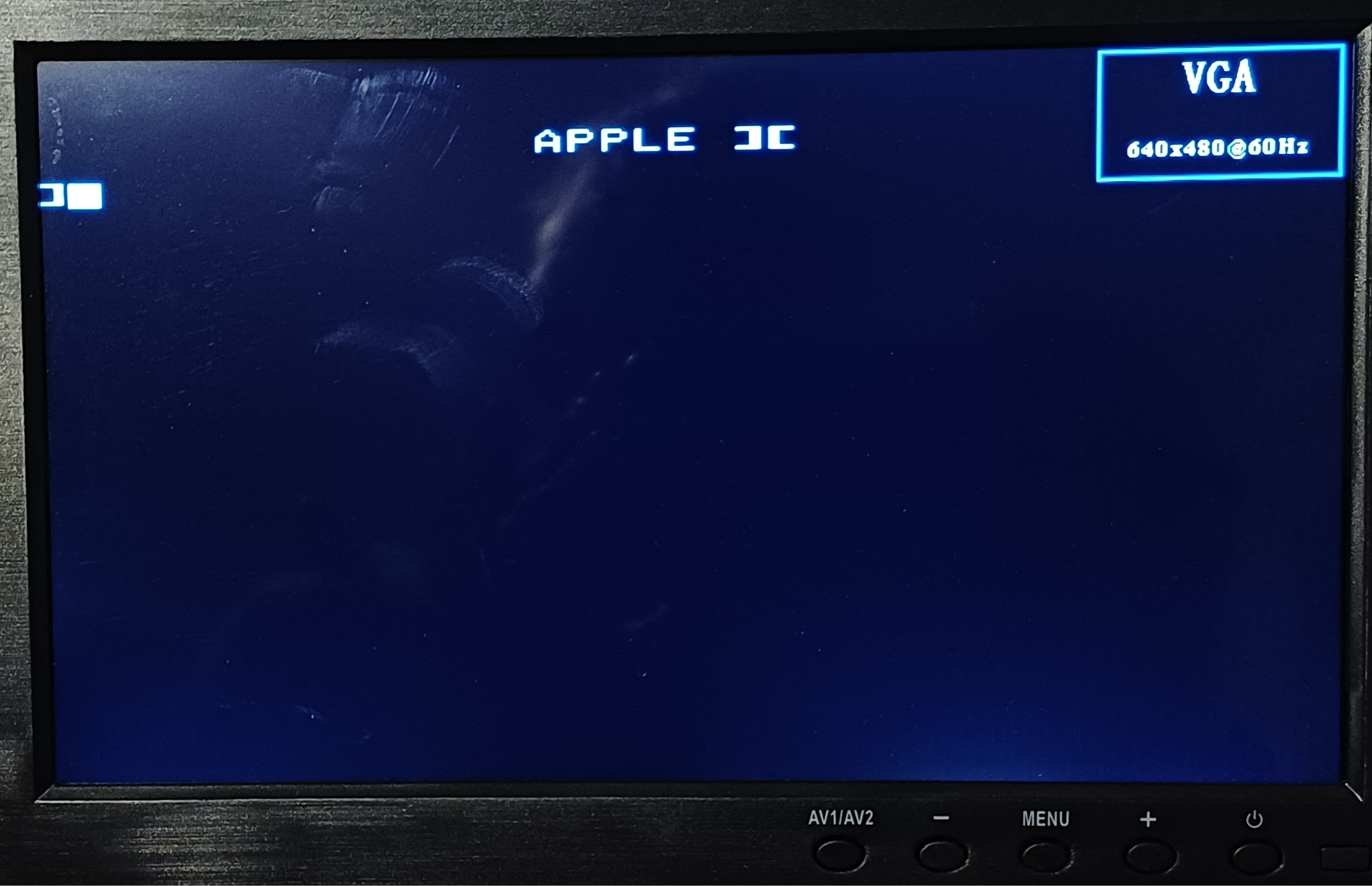
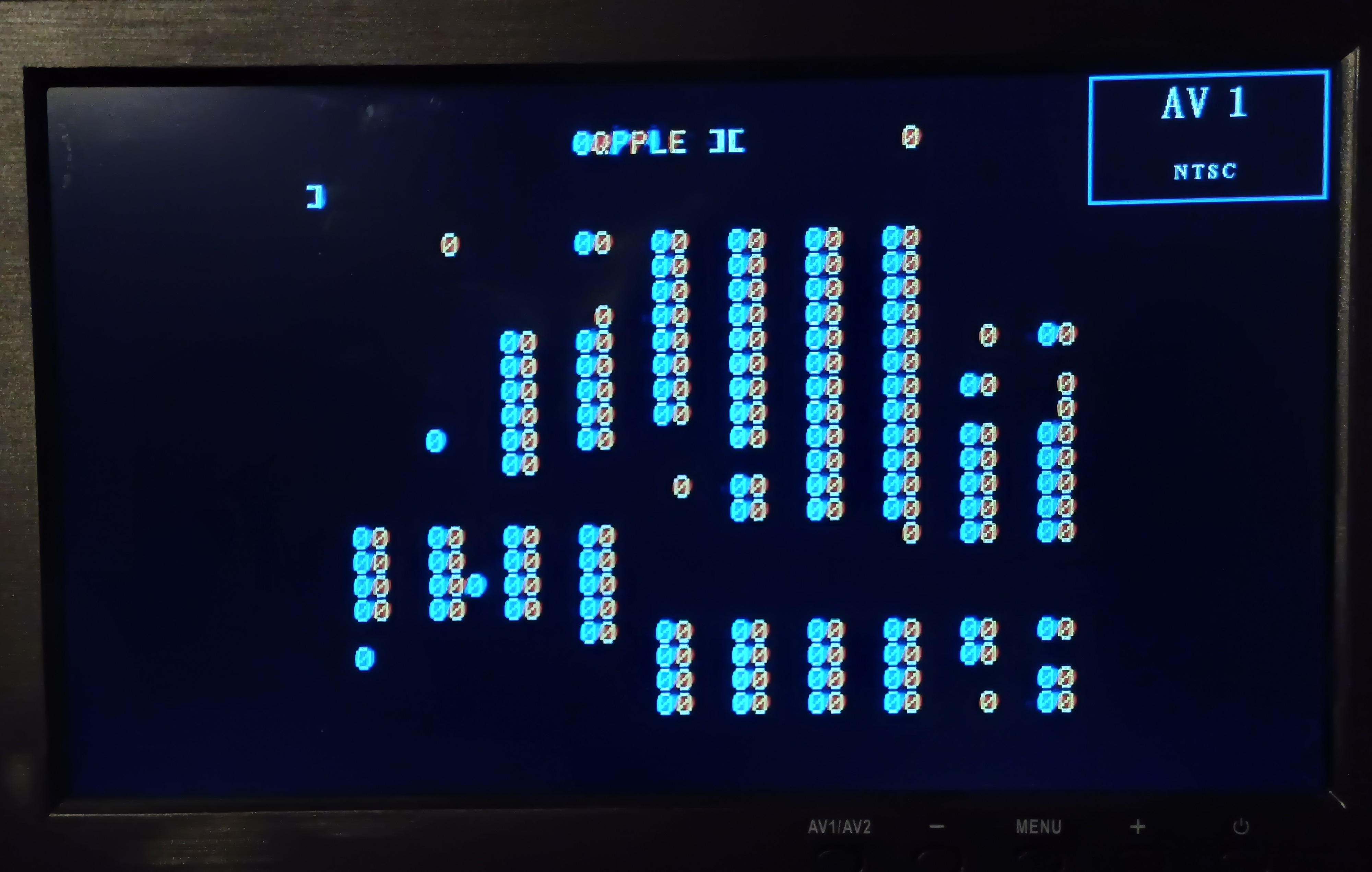
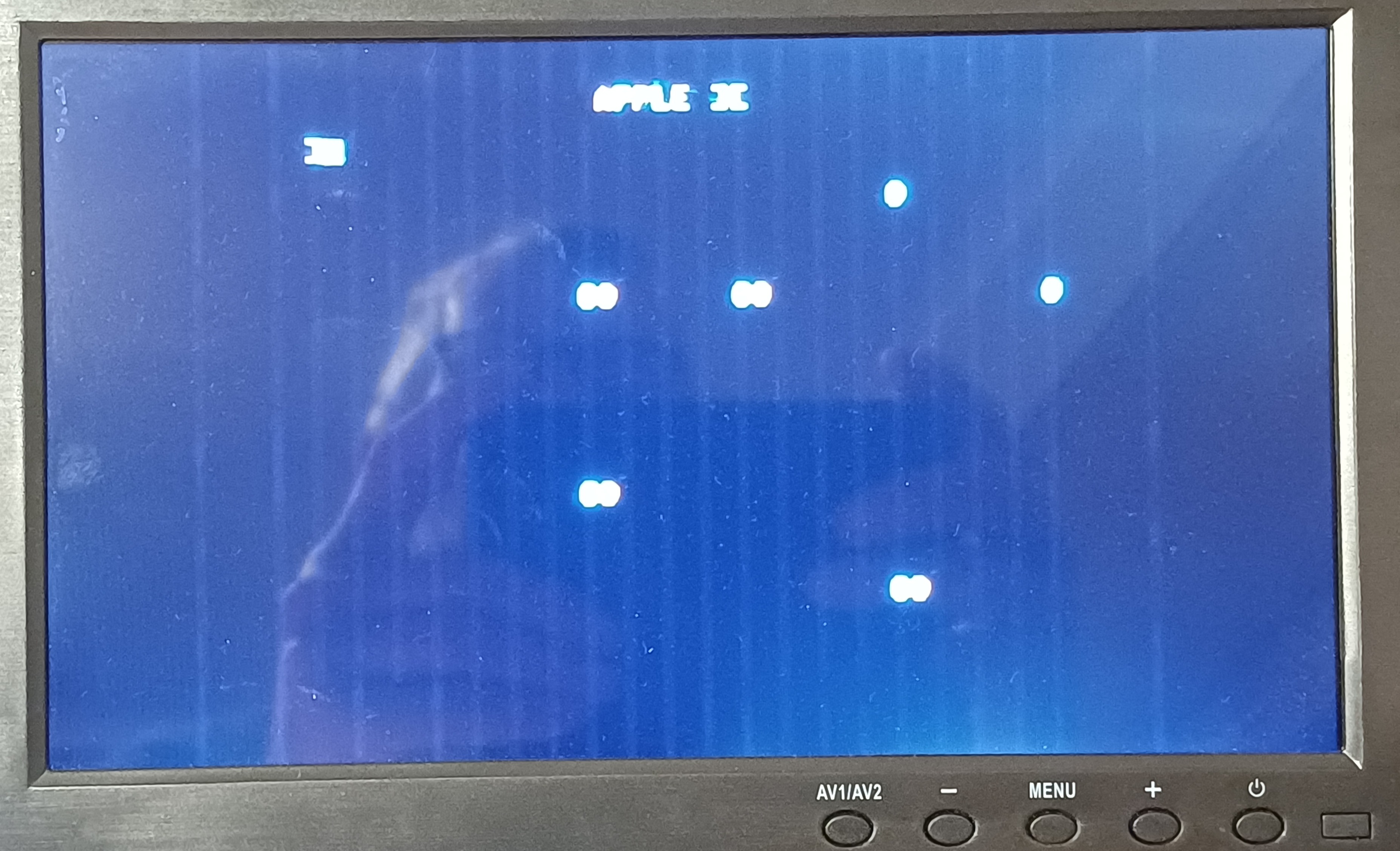
I suppose that the problems is in the videohandling. I have reseated the IC in position A8 - A14 with no result.
I'm very greatful if anybody can give me help with this problem.
Thanks
If I understand the VGA adapter correctly, it watches the RAM contents as they go over the bus (which is both the scan-out of the video memory and RAM refresh). The decoding of video memory into characters is carried out internally by the VGA adapter.
So the obvious difference in how the VGA and composite outputs are produced is that only composite uses the A5 Character ROM and A3 shift register on the Apple board. Might the problem be caused by a partially failed Character ROM?
There are other wrong characters in your last photo, like "0QPPLE ][" which point to the same culprit.
I don't think it's the character ROM, I think it's a memory problem. Can you run this and see what you get: https://www.ivanhogan.com/kfest/MemUtil/?
I think it may not be an actual RAM chip problem, although that is possible also. I think that maybe one of the logic chips that controls memory addressing is flaky. That is causing RAM writes or reads to happen to the wrong locations resulting in corruption.
15.jpg
14.jpg
I have some spare RAM chip for AII, is it time to try to put in new RAM? I also have some other AII plus so I can replace chips from working AII plus. Its obvious that the problem starts when the chips get warm. No problem at start but after 5-10 min there are a lot of zeroes.
Where to start?
After some more testing I get this screen. It wont start with Applesoft prompt. Is it monitor prompt?
20251123_160718.jpg
Maybee its a problem with the ROMs?
20251123_113537.jpg
Not a ROM issue, those are single-bit errors in data bit D4 of RAM in row C. The errors aren't even affecting data within RAM chips other than the one in socket C7, so it's sensible to concentrate on the chip in that socket or its connections to the rest of the circuits. The grouping of the bad patterns is consistent with DRAM refresh issues. (Some bit positions fade to 0, others to 1.)
First try the simplest change -- replace the 16K RAM chip in C7 with a chip from somewhere else, such as your 16K RAM card if you have one. If the symptoms still occur, then it could be a bad connection on the motherboard or at the socket itself.
Thanks for the information S.Elliott.
I replaced the 4116 RAM chip in C7 from 1981 with a new one from 1983.
a2.jpg
b2.jpg
Its working perfect.
I have used it for one hour and no problems. No zeroes. Before they appeared after two minutes.
Thanks a lot S.Elliott for Your perfect help. Amazing that You could know exact what RAM chip was defect.
This forum is invaluable when there is problems with old Apple computers. Almost evertime some person know what to do.
Thank You all for Your help.