
Have a strange problem with a Saturn 128K card in an Apple ][+
I think it is an original Saturn 128K RAM card and it is fully populated with RAM chips.
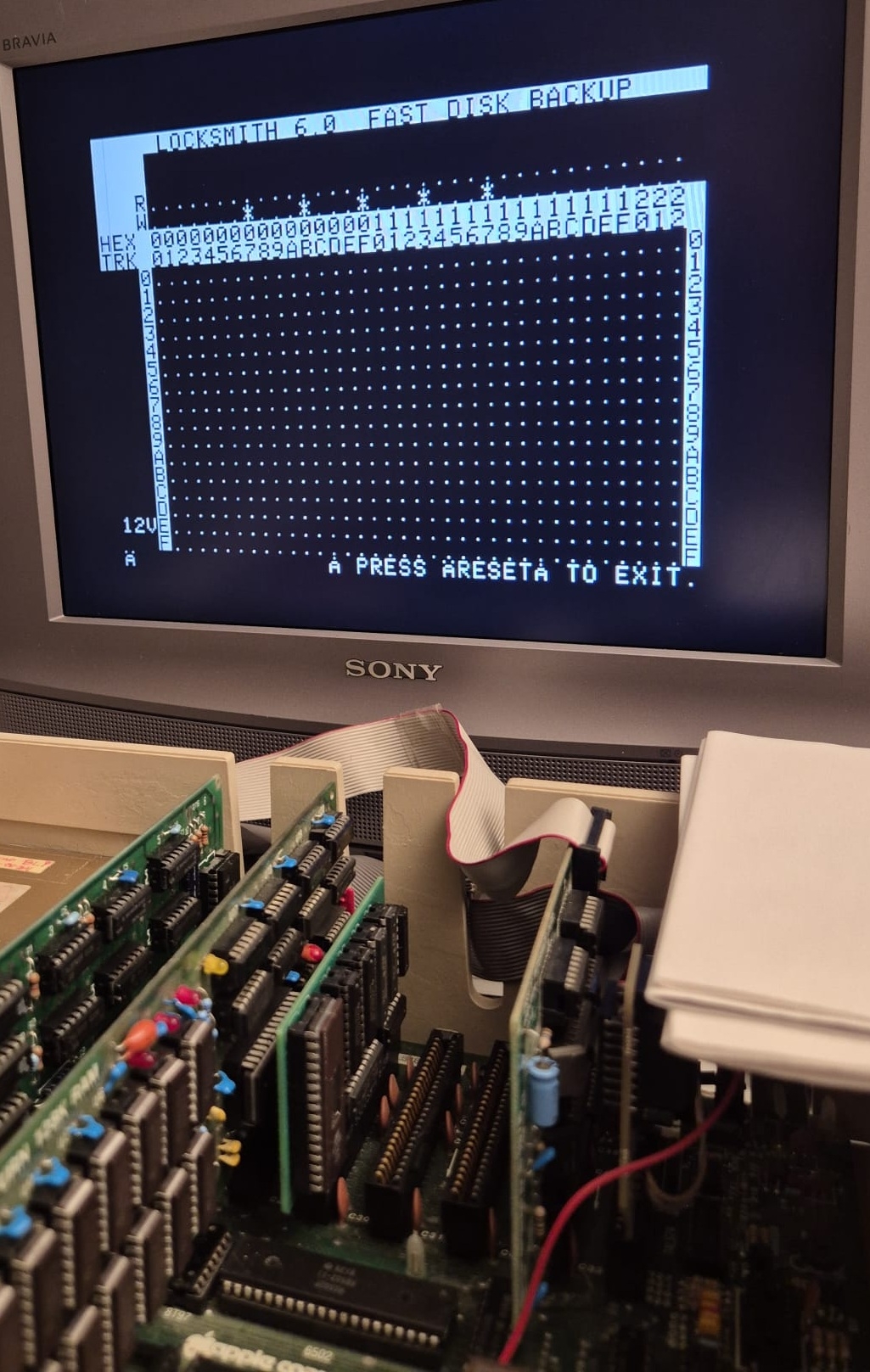
Problem started with that I got errors when writing/verifying using Locksmith 6.0 Fast disk backup. I found the program RAMwerks and it's able to locate the Saturn card and I get 128 errors during a pass so I thought a logic chip must be the culprit. Have then tested all RAM/logic chips in both my Retro chip tester and Backbit Chiptester Pro v2 without any errors. I've also tested replacing all RAM chips with new ones but I get the same errors. Apart from that all logic chips have been tested externally and that I've swapped position of the 74LS175 and 74LS51 chips (not the most common chips) and replaced the 74LS00, 74LS02 and 74LS08 chips as I had new ones. I would think that there is a problem with the card somehow but then I tested Locksmith's own RAM test and there it passes the extended/thorough test without issues (ehh?). I've also programmed an ROM with the ROMx version of RAMtest 1.4 which supports a Saturn card in slot 0 (instead of a language card) and there the card also passes without errors (card somehow works?). If i copy the same diskette with LS6 using the same drives but without the Saturn card installed the diskette is 100% verified. I have also tested the card with Saturns own RAM test where it fails. I should perhaps also mention that the 64K RAM (with language card installed) also passes.
Any suggestions? Any obvious thing I've missed here? I know the external testers aren't 100% but as mentioned I've swapped many of the chips (and replaced) without any difference.


Did you test your Saturn 128K card in another machine to isolate any issue from the machine bus?
Yves
The symptoms sound like an address decoding fault, which Locksmith is worthless at detecting. Back when I was supported a computer lab we broke an address pin off a 16K RAM chip and it still passed Locksmith's RAM test.
I wrote a RAM test for Legend memory cards that uses a pseudorandom memory fill, which is a pretty effective test. It could easily be adapted for a Saturn card, but I'm away from home right now so I can't share it until at least Tuesday.
I wouldn't break a pin, I would just place it out of the socket, but are you sure the tests was still reporting OK when you selected "(E)-extensive test" of Locksmith 6.0?
Students installed the memory, so we had no idea if they broke the pin themselves or if it was already broken. A missing address pin would reduce the number of active address bits, so a 16K RAM would only access 4K of unique addresses. But the point is that Locksmith was worthless for finding a chip that had an address fault.
Likewise the OP described a problem that could certainly be caused by bad RAM, even though it passed Locksmith's test. So it's quite relevant that Locksmith might overlook some faults, and therefore worthwhile to try another tool. (Apple adopted a similar strategy in replacing the weak memory-fill test in the original //e with a pseudorandom challenge in the Enhanced//e.)
Sorry, but either the students, or the teacher were not aware of what was going on there. Locksmith 6 is perfect on my opinoin and detects fine such situation:
IMG_6271.JPG
IMG_6273.JPG
No, but that's something I've thought about doing.
Yeah and it's "funny" that Locksmith's Fast Backup fails and not Locksmith's extended RAM test.
I think another RAM test would be great (if possible)! I know that there are a lot of modern versions of the Saturn card out there so I'm sure other people would like that as well. I would be happy to testdrive! ;-)
Martin would you post a screenshot of Saturn test's error.
Thank you so much for requesting this since it actually helped me find/solve the problem (see below)! :-)
Saturn_128K_fails_Saturns_own_ramtest_af.jpg
So, when running Saturn's own RAMtest once more (to take a snapshot) I read the 2nd line when test was started ("TEST ROM READ") and then looked further down the screen as it immediately stopped and there I saw $F800 and when I pressed C to continue it stopped on the next address $F801.
Saturn_128K_fails_RAMwerks_ramtest_af.jpg
So I began thinking about the output of Saturn's own test, how is it possible that I have a ROM error since not only does the computer appear to work with all things I've tried so far but also since I'm using an add-on ROM replacement board which eliminates the need for the ROMs on the mainboard? That's odd/strange, right? I also remembered that the computer worked when I took out the language card and had the Saturn card in slot 0, hmmm, there is a F8 ROM on the language card I remembered. Since I also have a ROMx on another ][+ I know that I modified the language card in order for ROMx to work properly, hmmm, of course, the F8 ROM I have on the language card is either faulty or interfere with the ROM board and probably needs to be disabled as per ROMx instruction/manual and then F8 ROM contents will 100% come from my add-on replacement board, that must be it, right?
Saturn_128K_passes_Saturns_own_ramtest_af.jpg
Sure enough it was exactly that the whole time! Saturn's own test now passes.
Saturn_128K_passes_RAMwerks_RAMtest_af.jpg
Saturn_128K_passes_diskcopy_af.jpg
Thank you all for your input! ;-)
Happy days! :-)
Great detective work! Glad the ROMX manual and modified RAM test were helpful.
Yes, very helpful in this case - thank you! :-)
It's strange that Locksmith's RAM test didn't detect the fault but I wonder if perhaps it accesses the hardware/card directly perhaps (not via the ROM)?
Would be great if RAMwerks could display errors in more detail. Seems like many of the RAM test programs is aimed at/good at something specific but lacks a bit in other areas. For example, the RAM test 1.4 has a quite good display and it's possible to select different tests etc. but it cannot detect a Saturn card and test it (only in slot 0 in the modified version), it also test memory so fast that it probably will not pick up all errors(?).
The RAM testers I've seen (apart from those who are included in diagnostic diskettes) ar e Locksmith, RAMwerks, RAMtest1.4, Dead test and of course Saturn's own but that's specific to the card.
To be fair, most people put extended RAM cards in slot 0 to also act as a Language Card. In case you missed it, you might want to check out this post. It explains why the LC modification was necessary.