
RetroAppleJS v1.4 - Apple II+ emulator
RetroAppleJS v1.4: more hardware, faster experiments, and a deeper look inside the Apple II
RetroAppleJS brings an Apple II+ emulator, a 6502 assembler, and a debugger together in a browser. With v1.4, we have expanded the hardware side of the project and the tools for exploring it: configurable expansion cards and attached devices, a visual system composer, optional WebAssembly acceleration, and a substantially more capable live step debugger.
There is also some new assembly code to play with, from an HGR resident clock and a DOS 3.3 file manager to GPT16 and experimental hash-based signature routines. The aim remains the same: make the Apple II a place where you can run software, write your own, and see how the machine works.
Try the project: retroapplejs.github.io
A slot manager that has grown into a hardware framework
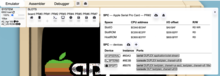
The distinction is straightforward: a slot holds a peripheral card, and that card can have attached devices. A disk controller has drives; a serial card can connect to a terminal; a video card has a display output. The card owns its Apple II registers and ROM behaviour, while the attached device handles its particular function.
Devices communicate through named ports and message pipes. Ports describe the direction and format of their data, and the framework connects compatible endpoints. Pasteboard text can reach the keyboard, serial data can reach a terminal, and camera frames can reach a capture card through the same connection model.
This architectural change has made new peripheral development considerably quicker. It also gives device removal a clear meaning: ejecting a camera capture card detaches its camera and releases the host stream.
More peripherals to explore
The new framework has supported a substantial round of peripheral work:
- Disk II: more flexible drive arrangements, including DuoDisk, with media controls and visual state associated with the attached drives.
- LIRON: emulation of the Apple 3.5 Disk Interface Card and its SmartPort transport, with UniDisk 3.5 and an HD20 block-storage device.
- Videx VideoTerm: expanded display RAM, character-ROM, CRTC, and resident-firmware support, with a separate video output device.
- Applied Engineering Serial Pro: serial-interface and real-time-clock emulation, an attached browser terminal, and an optional GPT serial peer.
- ThunderClock Plus: firmware-based clock access, interrupt generation, and emulated BSR/X-10 output.
- AppleMouse II: the original slot ROM working through an emulated PIA command/handshake interface.
There are some deliberate boundaries here. The Videx implementation targets VideoTerm. The HD20 is presented through the emulator's SmartPort bus, rather than reproducing its original Macintosh attachment. Mockingboard remains a placeholder, and Saturn RAM and Super Serial Card are not enabled in the main application.
Build the system you want to see
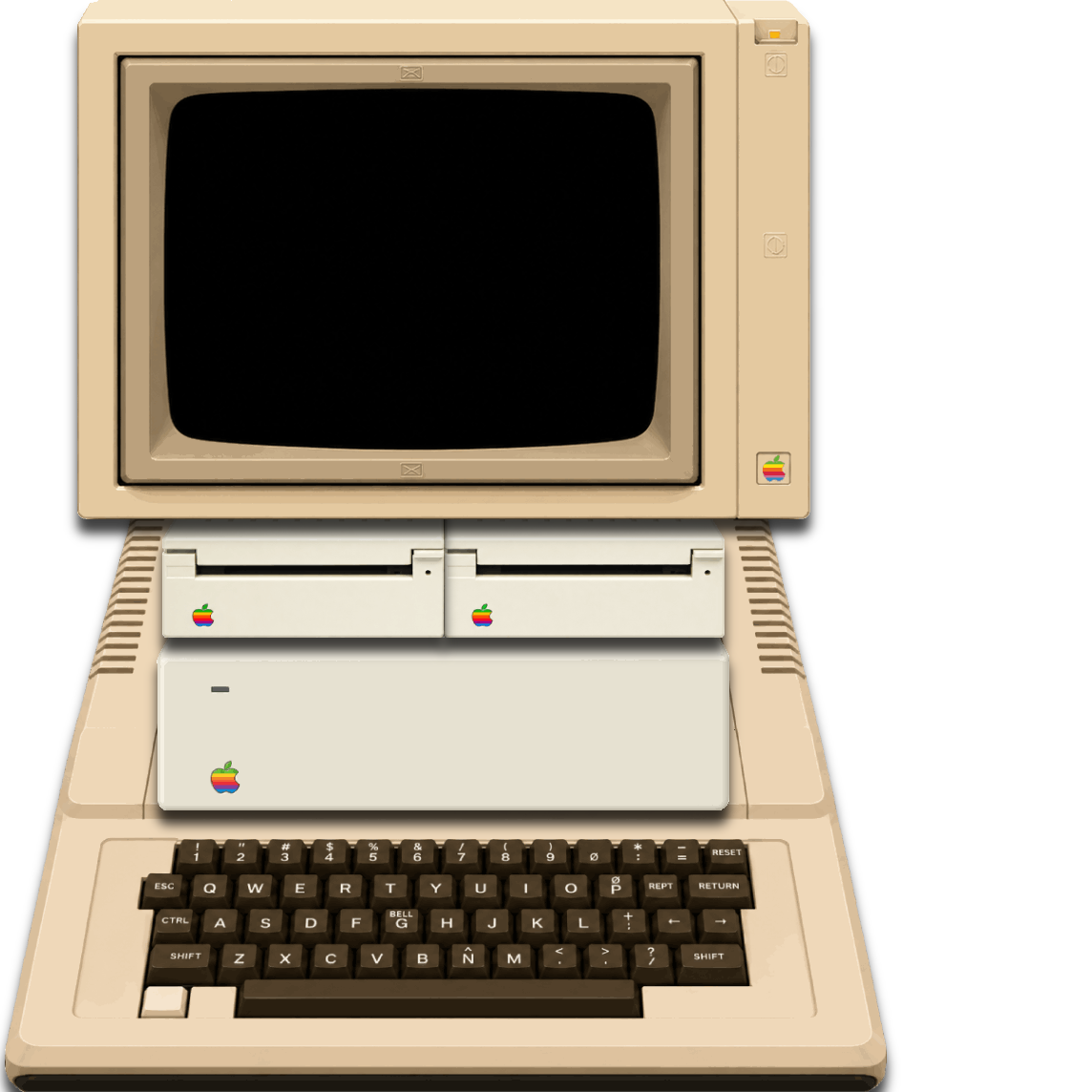
You can import images at their native dimensions, drag or numerically position them, change layer order and visibility, adjust shadows, and save named visual configurations. Undo and redo make layout experiments easier. Exports include JSON, JSON with embedded assets, JavaScript configuration, and PNG.
The emulator consumes the authored layout, while runtime device state controls such things as drive activity LEDs. That connects the visual system to the hardware configuration underneath it.
A much more capable live STEP TRACE
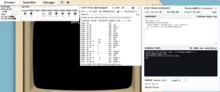
It follows the running Apple II through its currently mapped memory, including peripheral ROM, bank switching, and self-modifying code. Step In, Step Over, and Step Out are joined by adjustable instruction pacing, Track PC, and a shared 48-bit instruction counter.
The BREAK IF field accepts conditions involving registers, flags, symbols, instruction counts, and safely readable mapped memory. For example:
PC == $6000
PC == $6000 && A == $42
M8[$4000] == $FF
A matching condition stops execution at an instruction boundary, before the next opcode executes. An optional closed-loop skipper speeds the debugger's passage through proven loops while still executing every instruction and cycle.
STEP TRACE SCENARIO adds a JavaScript callback at matching breakpoint boundaries. A script can inspect CPU state, read or modify RAM, resolve symbols, print observations, and make assertions. Its local state can persist across hits, allowing a sequence of checks within one run. The callback remains synchronous, and the emulator retains control of execution.
Symbols, source comments, branch guides, and downloadable boot logs help make the trace readable. Debugger reads avoid the soft-switch page, so inspecting the listing does not accidentally trigger peripheral I/O. The STEP TRACE manual covers the controls and practical workflows.
WASM for the long-running routines
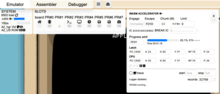
Controls include instruction limits, an escape address, register inspection, progress monitoring, trace export, and an instruction-counter breakpoint. The shared counter makes it possible to accelerate a long calculation and return at an exact boundary for inspection in STEP TRACE.
The current accelerator works on a private flat memory image. Live peripheral I/O is not reproduced within that snapshot, so the JavaScript CPU remains the appropriate path for hardware-dependent execution. The standalone 6502 WASM Runner offers a focused environment for these compute-intensive experiments.
Browser workload is also easier to tune. SYSTEM processing FPS is separate from the target CPU clock rate, dashboard updates have their own cadence, and camera conversion jobs are bounded so unfinished frames do not accumulate. Get started by reading this documentation >> WASM 6502 ACCELERATOR
Live camera input meets Apple II HGR
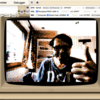
A separate experimental DITHER2 extension captures color HGR output through the shared ConvertHGR worker, preserving the color-phase bit in each byte. An embedded HGR sample is available when the camera is off.
You can also explore the conversion independently in ConvertHGR. It accepts still images or live camera input and offers ordered dithering, error diffusion, color weighting, gamma, scaling filters, and placement controls. Results can be saved as an 8 KB HGR page or a PNG preview.
New assembly projects and tools
The assembler has gained include-file management, S-C local-label handling, packed ASC6 strings, and compile-time .ASSERT checks. These additions support projects that are growing beyond a single source listing.
Among the additions to the assembly collection are:
- GPT16: conversational applications using Serial Pro and Videx, with kernel/chat separation, Language Card overlays, recovery paths, and Kermit file-service work. The optional host-side GPT connection requires network access and a user-supplied API key.
- A resident HGR clock: vector-derived filled glyphs and an interrupt-driven version using the Serial Pro clock.
- A DOS 3.3 dual-pane file manager: live catalogs, configurable slot/drive sources, file selection, and bidirectional copying.
- SHA-256, WOTS+, and XMSS experiments: 6502 hashing, tree-building, and signature routines that provide demanding workloads for the WASM runner.
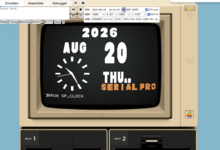
These projects have different maturity levels, with their memory layouts and entry points documented in the sources. The wider Retro Lab also includes display experiments, font conversion, disassembly comparison, and unified-diff tools.
Come and experiment
If you enjoy Apple II hardware, ROM archaeology, or 6502 programming, there is plenty here to explore. Try a peripheral configuration, follow its firmware in STEP TRACE, convert an image to HGR, or assemble one of the examples.
Reports from people familiar with the original cards and their software are especially welcome, as are ROM references, compatibility findings, and contributions. The GitHub repository contains the source and documentation, including the new coding style guide.
Explore RetroAppleJS: https://retroapplejs.github.io/
- FlyingZebra's blog
- Log in or register to post comments