
Stopwatch for Apple I
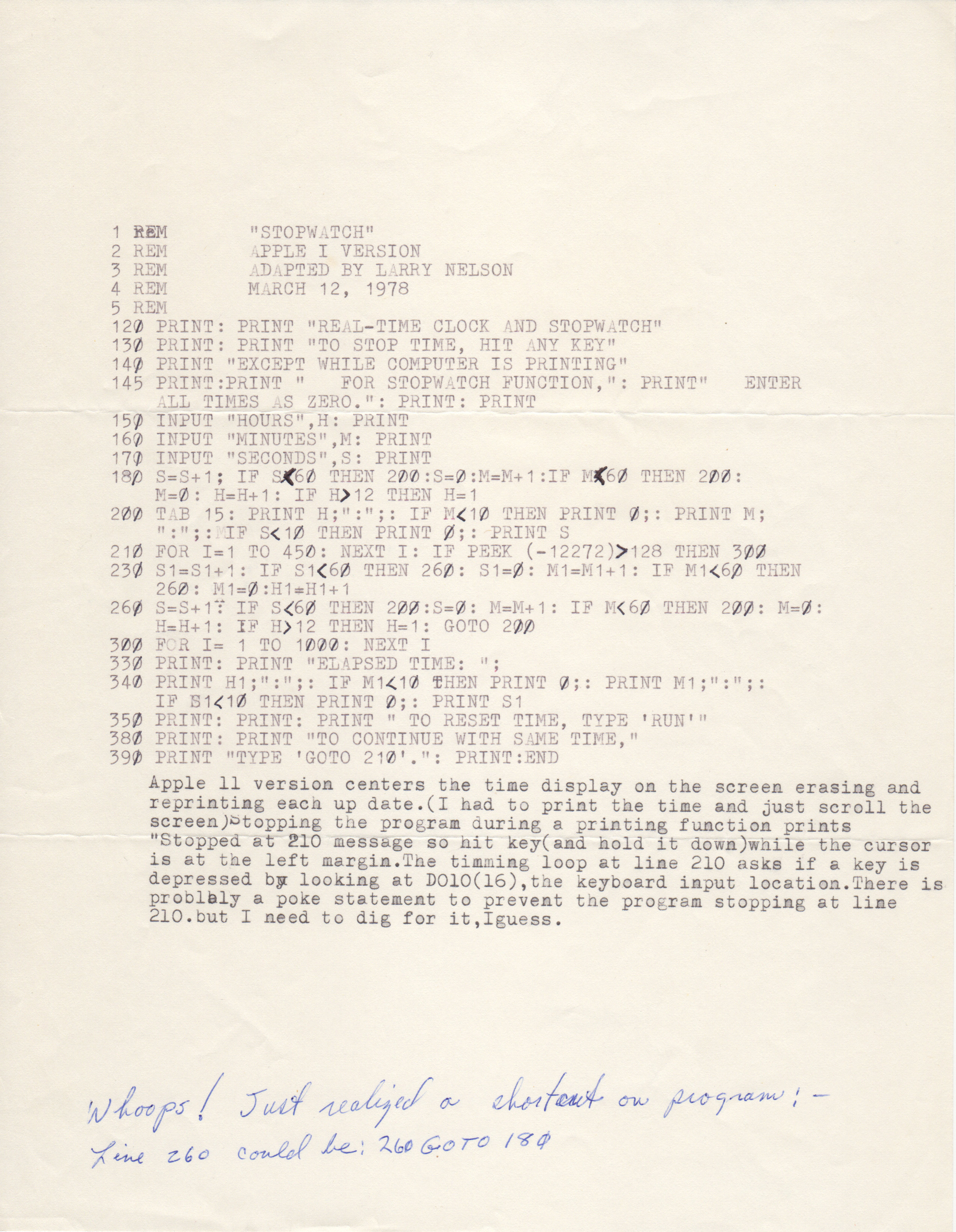
1 REM "STOPWATCH"
2 REM APPLE I VERSION
3 REM ADAPTED BY LARRY NELSON
4 REM MARCH 12, 1978
5 REM
120 PRINT: PRINT "REAL-TIME CLOCK AND STOPWATCH"
130 PRINT: PRINT "TO STOP TIME, HIT ANY KEY"
140 PRINT: "EXCEPT WHILE COMPUTER IS PRINTING"
145 PRINT: PRINT " FOR STOPWATCH FUNCTION,": PRINT " ENTER
ALL TIMES AS ZERO." :PRINT: PRINT
150 INPUT "HOURS ",H : PRINT
160 INPUT "MINUTES ",M : PRINT
170 INPUT "SECONDS ",S : PRINT
180 S=S+1: IF S<60 THEN 200: S=0: M=M+1: IF M<60 THEN 200:
M=0: H=H+1: IF H>12 THEN H=1
200 TAB 15: PRINT H; " : "; : IF M<10 THEN PRINT 0 ; : PRINT M;
" : " ; : IF S<10 THEN PRINT 0 ; : PRINT
210 FOR I=1 TO 450: NEXT I: IF PEEK (-12272) > 128 THEN 300
230 S1=S1+1: IF S1<60 THEN 260 : S1=0 : M1=M1+1 : IF M1<60 THEN
260 : M1=0 : H1=H1+1
H=H+1 : IF H>12 THEN H=1 : GOTO 200
300 FOR I = 1 TO 1000 : NEXT I
330 PRINT : PRINT "ELAPSED TIME: ";
340 PRINT H1; " : " ; : IF M1<10 THEN PRINT 0 ; : PRINT M1 ; " : " ; :
IF S1<10 THEN PRINT 0 ; : PRINT S1
350 PRINT : PRINT : PRINT " TO RESET TIME, TYPE ' RUN ' "
380 PRINT : PRINT "TO CONTINUE WITH SAME TIME , "
390 PRINT "TYPE ' GOTO 210 ' . " : PRINT : END
Apple 11 version centers the time display on the screen erasing and
reprinting each up date. ( I had to print the time and just scroll the
screen) stopping the program during a printing function prints
" Stopped at 210 message so hit key ( and hold it down ) while the cursor
is at the left margin. The timming loop at line 210 asks if a key is
depressed by looking at D0100 (16) , the keyboard input location. There is
problaly a poke statement to prevent the program stopping at line
210. But I need to dig for it, I guess.
Whoops! Just realized a shortcut on program : -
Line 260 could be: 260 GOTO 180
- Printer-friendly version
- Log in or register to post comments
Comments
Strange behavior with Stopwatch on my Apple-1
Tried to give the original code (like below) a go with my Apple-1. I input a time (like all 1's). Then it starts counting, but after the first row it stops again (row 210 evaluates to true and it goes to line 300). Also found a YouTube video with the same behavior, not mine though: https://www.youtube.com/watch?v=R7hp1s4iXfE. Was anybody able to run this program properly on a 'real' Apple-1? In emulators it seem to work fine.
When I peek memory location D010, like PRINT PEEK(-12272), I get 141 (8D hex, an M character?). For the program it seems like there is always a keypress. I tried to rewrite line 210 like:
210 FOR I=1 TO 450: NEXT I: IF SGN(PEEK (-12271) - 128) = 1 THEN 300
So now it checks the MSB of D011, when it is 1 (a keyboard strobe) it should go to line 300. When I run this changed program it counts, so this is better, but it does not stop when hitting a keypress when the cursor is at the left margin. At certain times the keypress is 'catched' by BASIC and the program is STOPPED AT 210 (correct behavior if I see the preliminary basic manual page 2).
Wonder if it is a bug in Larry's code or it is a quirk with my PIA?