
Hi,
I'm exploring different emulators (AppleWin on Linux and Mame are winners ATM), and I see a rectangle when the manual (Applesoft ][ Basic Programming Reference) says it's a square.
In FP Basic:
] GR
] COLOR=13
] PLOT 20,20
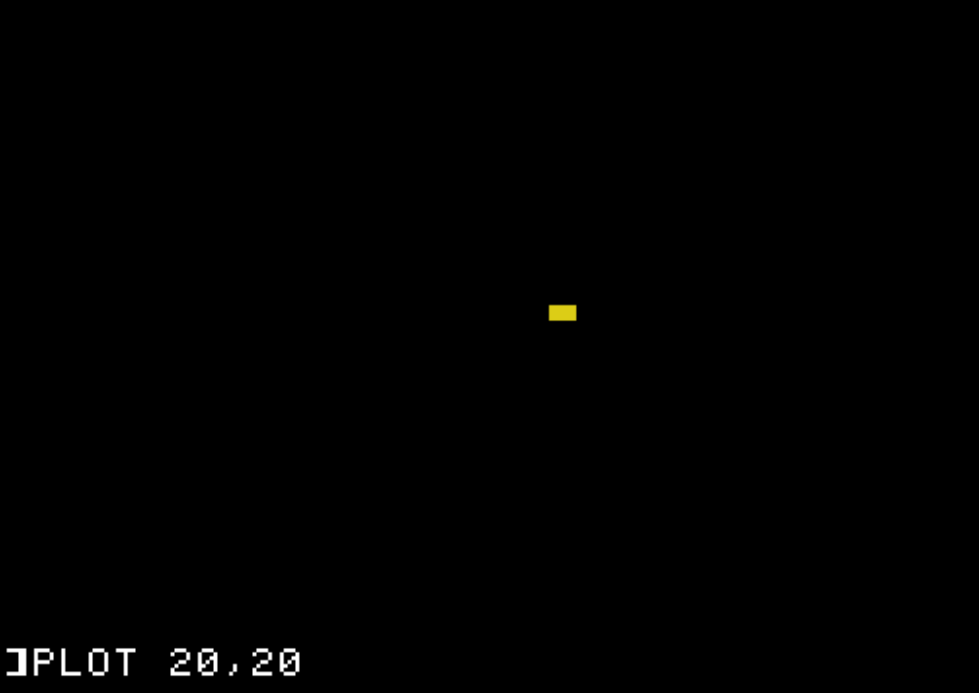
In a real iie, would it look like this or be a square?
Thanks!
The low-resolution graphics mode ("GR") presents 40 pixels horizontally by 48 pixels vertically. It is the same grid as text (40 x 24), but with each character cell split vertically into an upper and lower pixel.
Since the standard proportions of a color monitor were 4:3, the proportions of a GR pixel would normally be (4/40):(3/48) or 8:5—in other words, a rectangle 8/5 as wide as it is high—but this could be changed by adjusting the monitor.
It depends on the real or emulated TV/monitor that you are using.
Screenshot_20251004_115504.png
On a real Apple //e it might be square, but odds are it would not be square. The lo-res pixel shapes can vary in size and shape depending on the color and where they are plotted horizontally. AppleWin actually emulates a TV or a monitor fairly well. The "square" might appear as vertical green bars on a green screen monitor.
https://en.wikipedia.org/wiki/Aspect_ratio
The LORES "bricks" are not square on real hardware.
Cool. I thought it might be the case, but when it said the plot put a "square" on screen, I got worried. Thanks for the clarification. "bricks", now that I can see!
Double LORES is closer to square, but still not a perfect square.
Now you are telling me what square is, and what I see?
Are you trying to tell me that Double LORES blocks are a perfect square?