
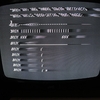
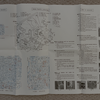
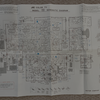
I was helping my Mom prepare for moving, and the JVC 7860 we had with the Apple II plus turned up. The paperwork was still with it, including service guide and schematics. So I shipped it to my place and found it worked fine for a few days on my Apple IIe. Then failures started to appear. One failure is that text sometimes shows color artifacts (see image). The other is that scan lines get out of sync, with drop in brightness (see other image). These two things don't seem to happen at the same time, and cycling power may fix one or both. When switching on or off you can see a good picture appear very briefly. None of this happens with my other screen, a newish LCD that features a composite video input. I am posting (a) to share the technical sheet, and (b) ask if anyone has advice on whether/how the issues could be fixed.
Note: there is an artifact of the camera/screen timing leading to diagonal strips of light and dark in the photos.

Your images are not posted correctly. They are tiny and it's impossible to read anything. Always set the Display to Teaser, not Preview:
jvc-7860-color-failure.jpg
jvc-7860-scan-failure.jpg
jvc-7860-service.png
jvc-7860-schematic.png
It is highly likely that a cold solder joint is the cause.If you have experience, you should carefully inspect all the solder joints using a magnifying glass.You can also try touching them up with a soldering iron right away.Just remember to fully discharge the capacitors—you can disconnect the power supply for at least 24 hours before you start soldering.It is quite possible that doing this will resolve the problem.
Thanks Gregor for the suggestion, and thanks CVT for fixing the images. Use teaser, perhaps typing it will make me remember!
Please confirm that this is the correct unit that you are having issues with:
https://crtdatabase.com/crts/jvc/jvc-7860
If this is correct, given the age of the unit you are probably going to need to replace the electrolytic capacitors because they dry out over time. You might also consider replacing the IC's (see this video as a reference - https://www.youtube.com/watch?v=W45IO6vlqOw). This model has adjustment potentiometers externally and internally. You might want to clean those with some Deoxit.
I also agree with the possibility of a lose solder joint. Either way, safety first! Discharge the CRT twice before servicing. If you work on the unit over several days, do the discharge routine each day just to make sure that it hasn't re-charged somehow (some do). As previously recommended, discharge the capacitors as well.
Good luck!
Joe
Good call to check, what is printed on the TV itself is 7280UM. The 7280UM says "TV Monitor" on front and has more connections including composite video in. It seems documents got crossed up in the intervening half century since the sales slip is dated August 1977 while the TV gives May 1979 as date of manufacture.
I appreciate safety cautions. I have experience going inside pulsed power machines, but a TV is unfamiliar.
Since it's an Apple II+, I am almost certain the problem is not in the monitor itself, but it's simply a bad connection in one of the video jacks or the cable itself. Try with a different video cable and make sure both jacks are clean. Also inside the Apple II+ there is a pot that controls the signal level that sits right next to the video output jack. Try rotating it and see if the problem goes away.
... typically are not a defect in the TV. These TVs just have a very sensitive color burst amplifier und so they can "see" the attenuated color burst signal made by the Apple II when it is in TEXT mode.
I've seen the same behaviour with several of my TVs / monitors which are in perfect shape and had to add a 2nd transistor in the color burst blocker in my Replica 2e (an Apple IIe - ish design) and also in my Apple-1 Color Graphics card.
Some Apple II users had success with decreasing the base resistor of the transistor which shorts the color burst LC tank circuit of the Apple II motherboard. My TV was too sensitive even for that. I had to add a 2nd transistor.
- Uncle Bernie
First to clarify, the II+ is a machine I no longer have, at this time I have a IIe and IIgs to play with.
UncleBernie I think you are right, if I hook the TV to the IIgs there is no issue with the colors in TEXT mode. Now, this very TV was used with that same Apple IIe 40 years ago with no trouble, of that I am sure.
So I presume what happens is the color killer in the Apple gets less effective over time?
At the same time as all this, the messed up scan lines still happen with any permutation of cables, connections (TV has two inputs that can be used), or Apple II computers, including after using some contact cleaner on the old stuff. Messing with v-hold sometimes temporarily throws it into a good state.
Just realized, it is not exactly the same IIe as 40 years ago. In the meantime the 65c02 enhancement kit and new power supply were put in.
UncleBernie (or others) I wonder if you think the observed ~36 dB reduction is sufficient for most CRT?
Apparently the CRT is generating color even under conditions similar to the blue curve.
Figure caption:
Upper panels show vicinity of NTSC sync pulse from Apple IIe in TEXT (blue) and HGR (red) mode. N.b. displayed sync pulse amplitude is limited by digitizer.
Lower panels show windowed FFT of the color burst (or where it should be) corresponding to the panel above.
text-hgr-signals.png