
I picked up an Apple IIe (early 1984 by the board and chip dates), and it included this card along with a much later 80-column and an age-appropriate Disk II controller. The card came with a 26-pin cable plugged into it with a Centronics connector on the end, so I'm sure it's a parallel printer card. I found a copy of a ROM dump on apple2.org, but no documentation.
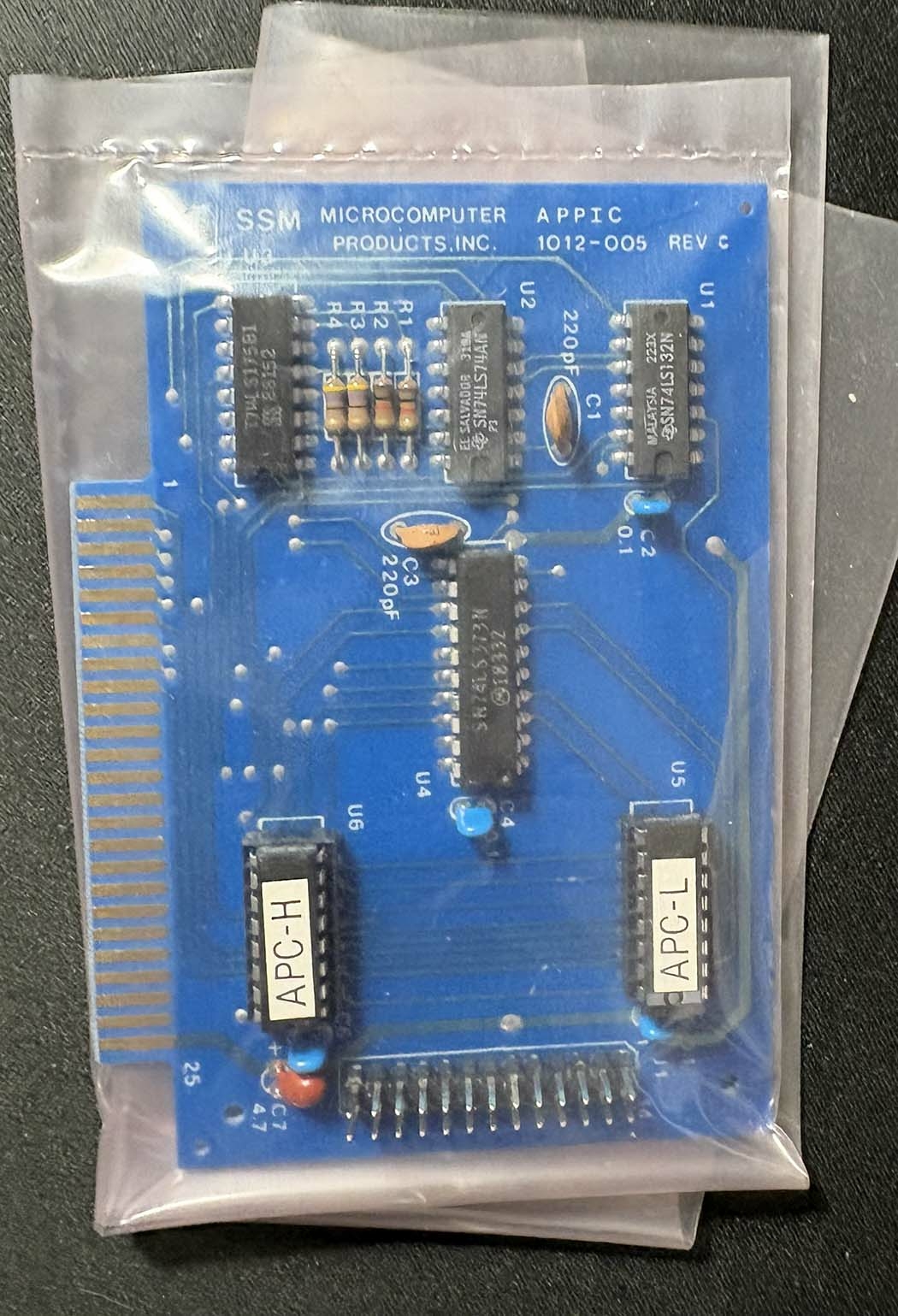
Any info on using this, like personal experience, documentation, etc.? Not in a rush, just curious.
I'd try various printer card/printer combinations and see what works best.
ProTerm 3.1, for instance has a number of printer and card drivers with it - it would be a doddle to select one after the other and observe how it prints out a passage from the built in text editor.
Then you'd know what type of printer controller it was trying to emulate - 90% of parallel printer cards tried to either emulate an Apple Parallell card or Grappler.
These simple parallel cards like this one are actually pretty generic, and usually they are more or less compatible with either the original Apple Parallel Printer Card or the later version. There are a lot there are a lot of them that are knock-offs of the various versions of the Epron APL card too. Most of the other more fancy parallel cards are compatible with the Orange Micro Grappler family or similar ones like the Tymac Tackler, etc.
A lot of Apple II software that supports basic printing will just work with these cards, at least for text printing. For printing graphics it is a little different but for that the actual printer being used actually matters a lot more as different brands all had their own control sequences for printing bitmaps. Star, Mannesman-Tally, IDS, etc. A lot of printers emulate the early Epson models though like the MX-80. Others emulate the C. Itoh including the "Apple Dot Matrix" which was a parallel printer that preceeded the original Imagewriter. It was actually made by C. Itoh and Apple labeled.
On the simple cards the PROMs are usually only a very simple 256 byte driver which allows text printing with PR# (usually slot 1). The fancy cards often have a larger EPROM which may contain one or more different sets of code for printing graphics, sometimes selectable by dip switches or jumpers. Others required a different EPROM for each kind of printer.
For the simple cards you can usually still print graphics, but you need software that supports both the generic type printer cards and the command sequences for the printer in question. Zoom Grafix and things like Print Shop were popular back in the day but there were a lot of different programs.
x2.jpg
x3.jpg