

| Hi Everyone! First time posting here please excuse the noob mistakes I am bound to make! I started building my replica in July or August of last year. I picked up a kit from Unicorn Electronics since it seemed to be the only kit I could find at the time. I also bought a clone motherboard from eBay (Spartan clone since it was shipped from Canada where I am also located). The rest of the parts I got off the mouser. Initially everything seemed good. No shorts on the board and following Mike Willegal’s written guide I was able to assemble the board over a few weekends. Right up until it was time to test the video section everything was good. I tested all the voltages and they all checked out. Since then though I haven’t gotten much out of the computer. It does display something when powered on but the video signal is not stable and seems to be struggling to display any correct characters (it’s mostly garbage but maybe seems to be trying to show the “_@” pattern). I’ve attached some pictures and videos of the build in hopes of getting some advice as to where to go from here… |
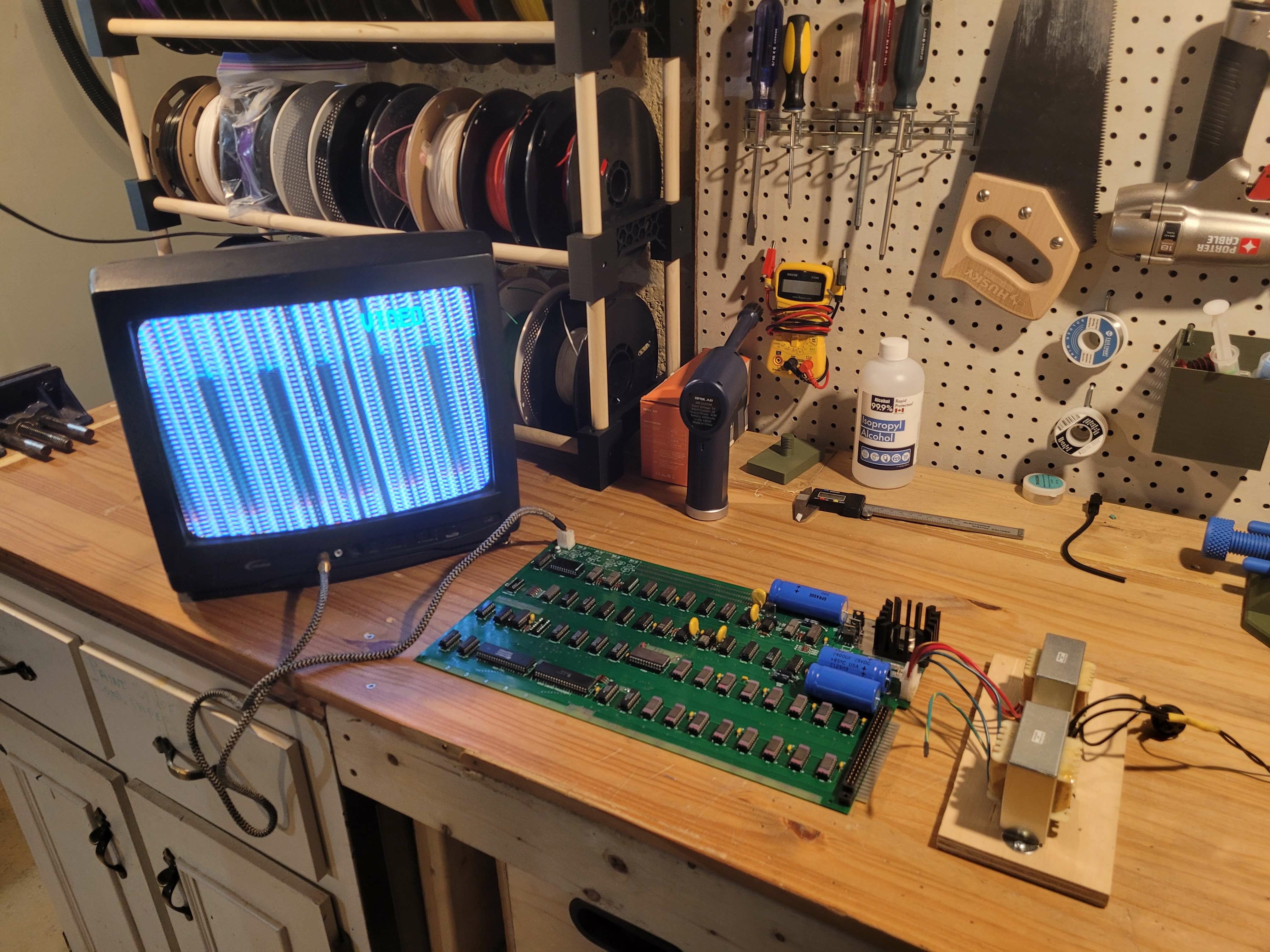
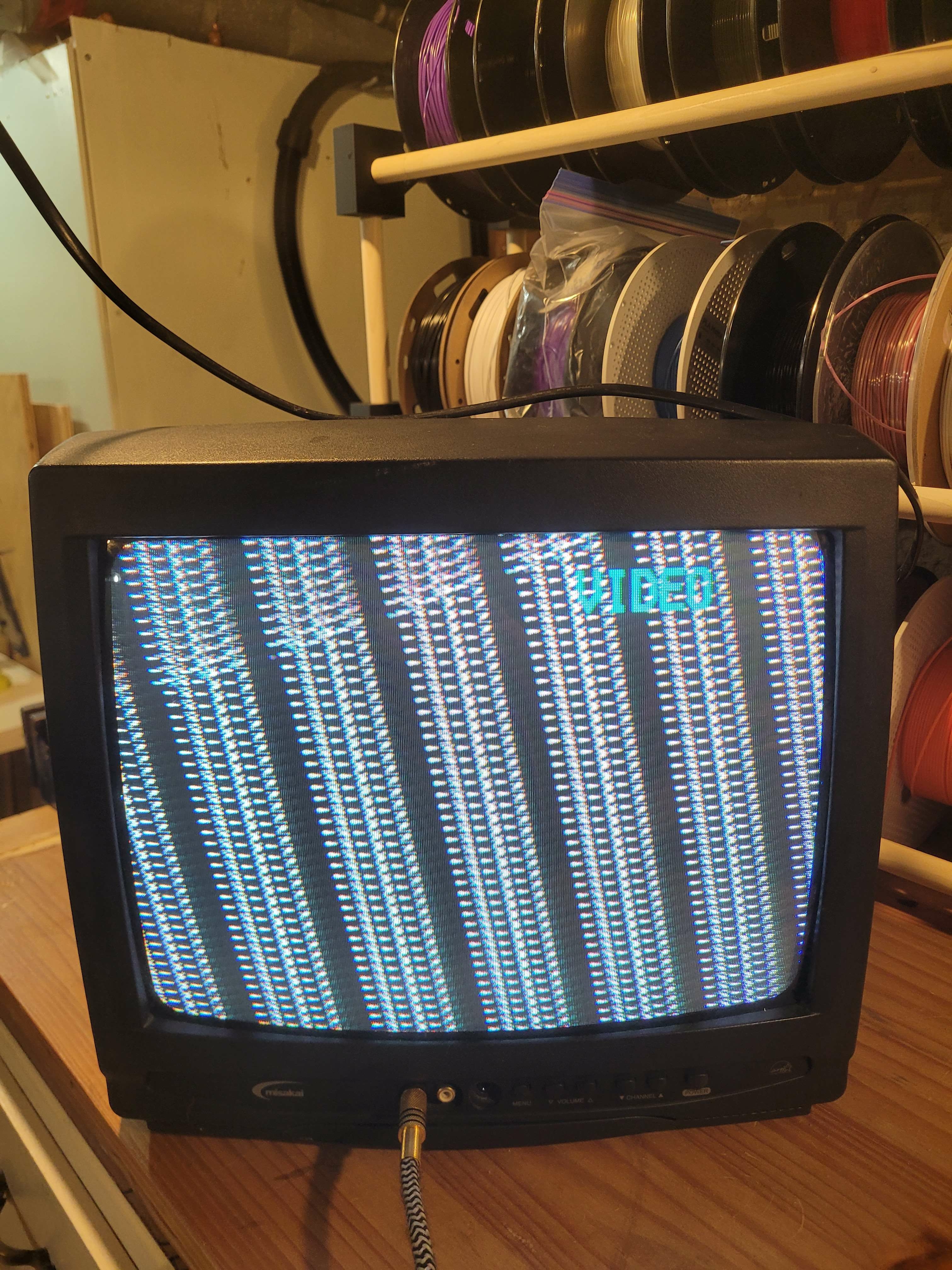
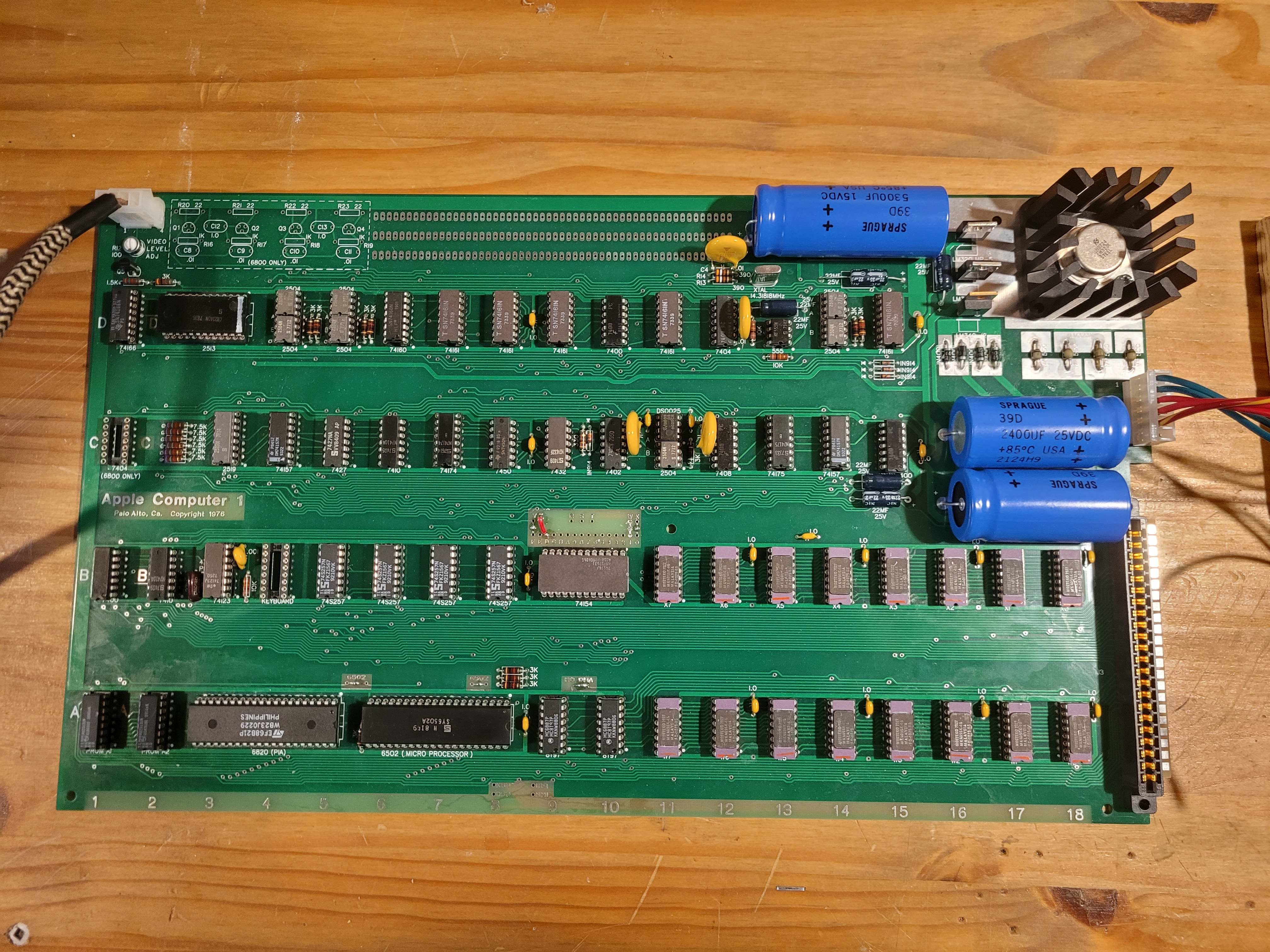
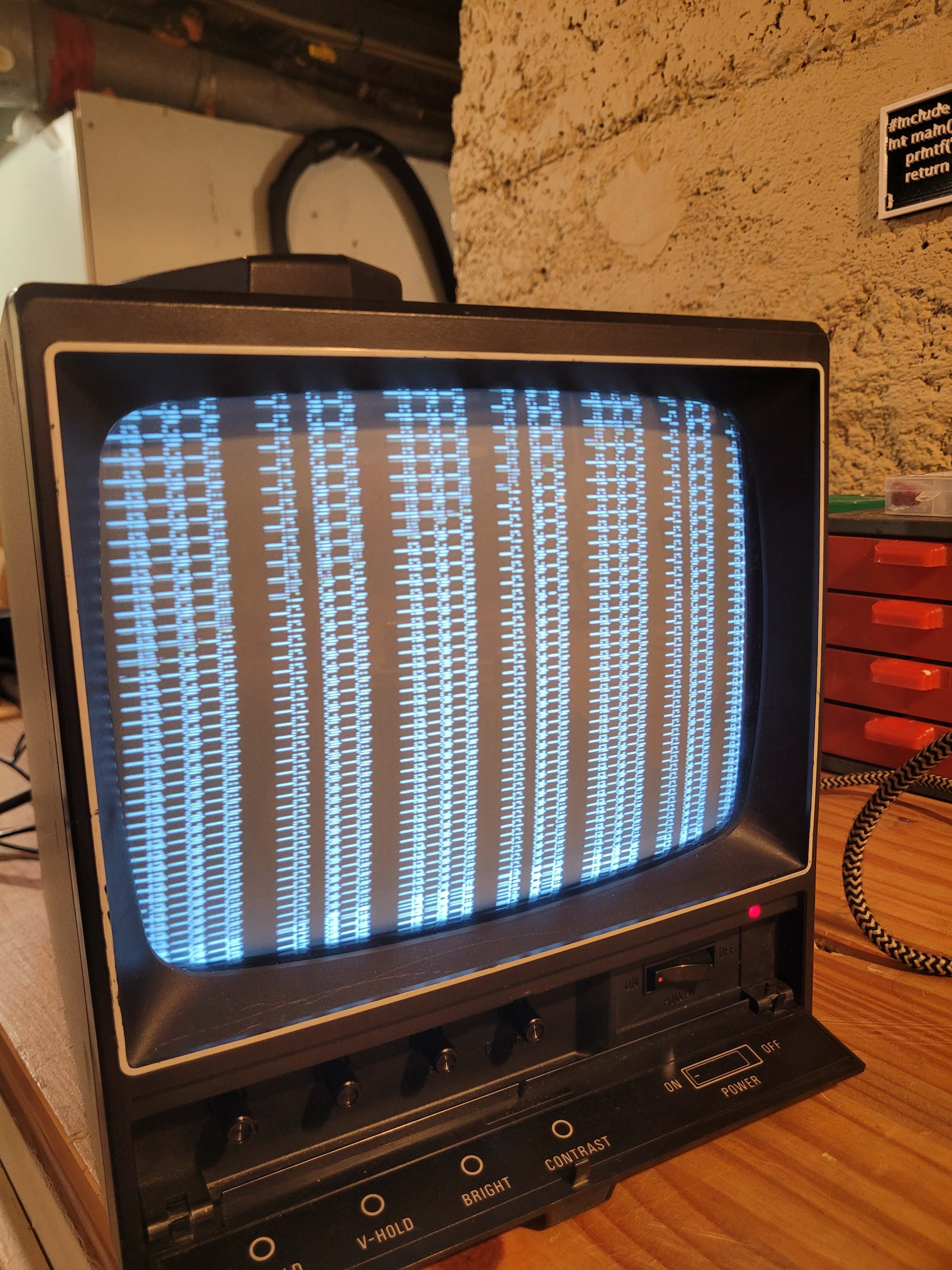
I've tried using an old TV I have as well as a Sanyo VM-4509 (which could probably use some work itself) and the picture on both isn’t great. I should also mention that shorting pin 12 on the keyboard usually does nothing. It will sometimes make the screen blink once but then goes back to showing the same garbage characters. I’ve tried doing my own research as to what could be wrong but have come up short (best guess is I have some bad ICs from Unicorn but I really don’t have the tools to diagnose this myself). It’s been awhile since I built it and I have taken a long break from the project due to things not going right so let me know if I forgot any details that will help diagnose the issue (i’m sure I have). Thanks so much for this forum it’s a great resource and thanks in advance for the help!
Hi, your board looks great and on a quick look I didn't see anything criminal. I'll take a closer look tomorrow or the day after tomorrow when I'm a bit more free. In the meantime, please check your video cable: the left output from the board should be connected to the internal RCA pin, the right to the external one.
Just double checked and it looks like I have pin 2 on the board connected to the RCA pin and pin 3 is connected to ground (the cable shield). I'm 99% sure thats right but let me know.
Seems about right, and that's actually a bad thing. Otherwise your board repair would have been completed by now : )
Did you use the correct MPS3704 transistor (2N3904 analog) and the 14.31818 MHz crystal? The rest of the board looks normal. I take it you don't have an oscilloscope for diagnostics? Just I never had problems with the video part in my assemblies, but with the processor part there were so many problems that it would be enough to write a whole book. I don't know what to tell you. On Monday I will try to take out one chip at a time from the video part, maybe I can get a screen similar to yours. For now, just try searching here for a post from Uncle Bernie with instructions on how to diagnose an Apple-1 replica. He's posted quite a bit here before, it may take a while. And don't get too frustrated, I know how annoying it is when you're sure you've done everything you can to make the board work but it doesn't. We'll figure something out.
I found a post from 2021, unfortunately the video embedded in it can no longer be viewed. But try these simple procedures outlined by Uncle Bernie. Might help...
https://www.applefritter.com/content/apple-1-replica-videocharactersync-issues-forum
The embedded videos don't work in Chrome, but work in Firefox.
clear_screen.mp4
I will also try the diagnosis you linked from Uncle Bernie later today (although the video in that thread does look quite a bit better than mine). Thanks for the help!
I'd recommend double checking all the solder points on the bottom of the board to make sure none were missed or have a poor connection. Also, your picture on the Sanyo monitor looks more stable then your pics with the TV so post a video with the Sanyo connected to better show what is going on. The vertical position appears to be off with the Sanyo but with the TV it appears vertical and horizontal hold and/or sync are bad.
Justin.
sanyo.mp4
You're welcome! Does the V-hold control on the front of the Sanyo monitor help with making the picture more stable? Does changing the video adjustment in the the top left of the Apple 1 board make any difference? Also, have you tried debugging the video section by removing all the shift registers C3 (2519) and D4a, D4b, D5a, D5b, D14a, D14b and C11b (2504) and the 2513 chip and installing them back in using the following sequence?
Power on. 1) Video section displays 40 x 24 fixed "█" symbols (with no 25xx parts present) 2) Video section displays 40 x 24 fixed "@" symbols (with only 2513 present) 3) Video section displays 40 x 24 flashing "@" symbols (with 2513 and 2519 present) 4) Video section displays full screen of flashing "_@" symbols (with all 25xx parts present) and can be cleared with CLR line
Let me know what you observe.
Cheers,
Justin.
Hi Justin,
That's basically as good as I can get it when adjusting the V-hold and the video adjustment on the Apple 1 board. I did the recommended debugging and here are the results.
First picture here is with no 25xx parts present.
20240303_205222.jpg
Second picture is with only the 2513
20240303_210105.jpg
Seems like its at least trying to make @ characters but they aren't coming out right at all.
And lastly here is a video with 2513 and 2519 present. It does appear to be doing some flashing but still not looking great.
20240303_205659.mp4
Let me know what you think! Seems like no matter what the signal is always slightly wonky.
There definitely seems to be frequency and synchronization issues. One quick way to try to find if there is a bad solder joint would be to hold the board by the left and right edges and gently twist it when the power is on to see if the display changes. Another thing is maybe the 7404 in the top row is bad and affecting the video. Do you happen to have a spare 7404 to swap in there?
If that doesn't lead to anything consider getting even a cheap (less than $100) hand held oscilloscope to help to see what signals you're getting around the board.
Justin
Tried yesterday to slightly twist the board when it was on and saw no change in the picture. Unfortunately I don't have any spare parts. My current plan is to invest in an oscilloscope as well as try to find some spare parts. Will update with any progress.
Try checking all passive elements: resistors, small capacitors, etc. I just yesterday solved all my problems with my Apple II rev.0 replica, which was caused by a wrongly installed resistor. If you want to read this drama with a happy ending - https://www.applefritter.com/content/problems-replica-apple-ii-rev-0.
Rob or Ron from Unicorn is notoriously absent-minded on both sides of the Atlantic. He was always messing up my orders. He could easily get things mixed up.
I will defenitly make sure to check all of those components. I too have a strong feeling that I got a wrong (or faulty) component in my Unicorn kit.
On a more exciting note, I have just bought a working apple 1 replica from a user on the forum (made from Uncle Bernie's kit) so that will help a ton in the repairs on my board and hopefully at the end of it I will have two working replicas! Glad to hear about your Apple II rev.0 replica, that thread was a great read.
Hi all!! It's been a long time since I gave an update on my Apple 1, but I have gotten back into the troubleshooting mood recently. After buying a working replica a couple of years ago I was able to troubleshoot and find multiple broken ICs that I have since replaced. Replacing those components (some bad 74161, 2504, etc) helped a ton and the video is now stable and clear and reset seems to "work". When clicking reset I do get a "\" and a blinking "@" but I don't get dropped onto a newline. After resetting it also seems to randomly loop through the ascii table and print characters out to the screen (unprompted). Any input from the keyboard does nothing other than the reset key. Please see the video/pics below showing the current state. I have also recently picked up a cheap oscilloscope (which I am still learning how to use) which may be helpful in debugging this. I would really appreciate any help and advice! Thank you!
20260518_164640(1).mp4
20260520_153253.jpg
20260520_153514.jpg
20260520_153534.jpg
20260520_144502.jpg
Hi!
This looks like a problem with the "processor part" of Apple 1 (to me).
The previous photos show you have a 6502A—that should work, but try using a regular 6502!
Perhaps there's also a problem with the PROM chips?
Regards,
Mateusz SQ9PXB
20260521_102802.jpg
Do you know that the keyboard and encoder are working correctly? Is the keyboard wired up right? If the random input goes away when the keyboard is disconnected, that might be a clue.
Otherwise you could try swapping out the pia.
With an oscilloscope, you can probe some of the keyboard input circuit to see if you can figure out what is causing the lack of input or spurious characters.
Seems like it is otherwise mostly working
Best of luck
Without the keyboard plugged in I still get the same random input so I don't think the keyboard is to blame. PIA is a good guess, I will dig into that some more although if I recall correctly the current pia I am using worked fine in my other known working apple 1 board. I have since sold that one so can't double check currently. Thanks for your comment.
Random characters appearing with no keyboard attached are normal for the Apple-1.
This is just another one of its lovely quirks.
The keyboard strobe signal floats and picks up random noise.
A pullup or pulldown resistor of 2k ... 10k on the keyboard strobe signal will bring remedy.
The cursor not dropping after a RESET is a symptom for a non functional Wozmon firmware. But this can be caused by many ICs such as the address bus drivers and the memory decoder, and not necessarily points to a bad PROM as such. It also needs a functional RAM to display more than one character. This is because of the ECHO subroutine which is used for all character outputs.
Refusal of the machine to take keyboard inputs (after a successful RESET with the cursor drop) most often is caused by a bad DRAM leading to a program crash due to a wonky stack. Often, only one or two keystrokes are accepted and displayed and then the return from subroutine crashes the machine. This depends on how much functionality is left in the DRAM. If the stack does not work at all, then no keystrokes are accepted and the cursor will not drop.
Since you have a functional Apple-1 build based on one of my kits, you may have a diagnostics page in the PROMs. These 512x4 PROMs with the standard Wozmon and the diagnostics page I wrote were issued with all but the very first few kits.
This involves pulling the A8 input of these PROMs high. As the builder of the machine most likely has used the procedure with bending the pins away you should not try this a second time to avoid the pin from breaking off. Instead, cut the trace below the PROMs which goes to the A8 input of the PROMs to activate the diagnostics page.
If you send me a PM with your regular email address, I'll send you the "Tips and Tricks" pdf which came with my kits, and this contains a description of the diagnostics page activation and use.
- Uncle Bernie