

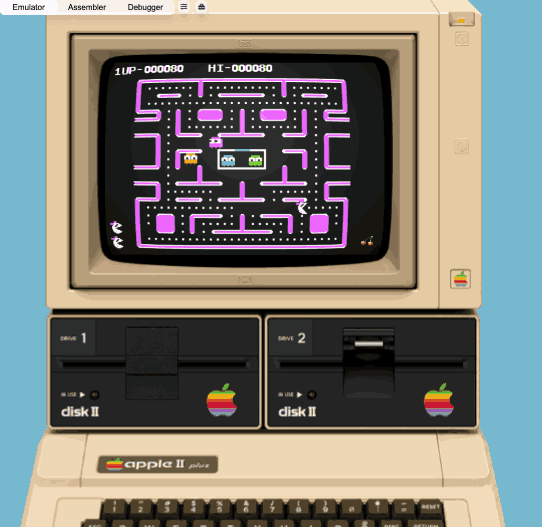
Here's another browser-only Apple II emulator, I probably started around the same time as Chris Torrence, about five years ago, but developed completely separately as a one-man project, with completely different features that make it rather interesting to compare. It's an emulator, assembler and debugger all in one package:
- The emulator core was mainly inspired from an early PoC from Thomas Skibo. Before that time, I really thought client-side vanilla-JavaScript would never pull this off, but here it is! I'm an enterprise architect in the daytime, so, I payed attention to it's modularity, configurability and usability design.
- The assembler has reached a high level of maturity, as it has a lexer that can compile syntax from most popular 6502 assemblers, like Merlin, S-C and ca65. I packed a few listings one can load , assemble and paste directly into the emulator, or the step-debugger. Another noteworthy feature is the listing produced by this assembler. One column visually displays branch instructions using graphic characters, which comes in very handy for readability.
- The step-debugger is a stand-alone debugger using a separate instance of the hardware object container of the emulator. It allows to construct an entire memory map based on an emulator memory dump. There's also a real-time debugger running inside the main emulator context, but this one requires more work.
The emulator really shines through its display modes, some nearing CRT rendering perfection. In fact, I developed 4 Apple II display drivers based on different principles, and we can switch modes in real-time. GPU based rendering (offloading emulator CPU operations), Wave based rendering (emulate a true inner working of a CRT monitor), ThreeJS based rendering (projecting a real-time emulator image on a curved monitor surface) and the rather classic pixel-wise HTML5 canvas painting mode.
- To boot the pre-loaded disk, long-push the power button (0.5s)
- click here >> GPU.js display mode
- click here >> Wave display mode
- click here >> ThreeJS display mode
Next steps would be to extend the emulators capability to run a virtual VIDEX card and a MOCKINGBOARD card.
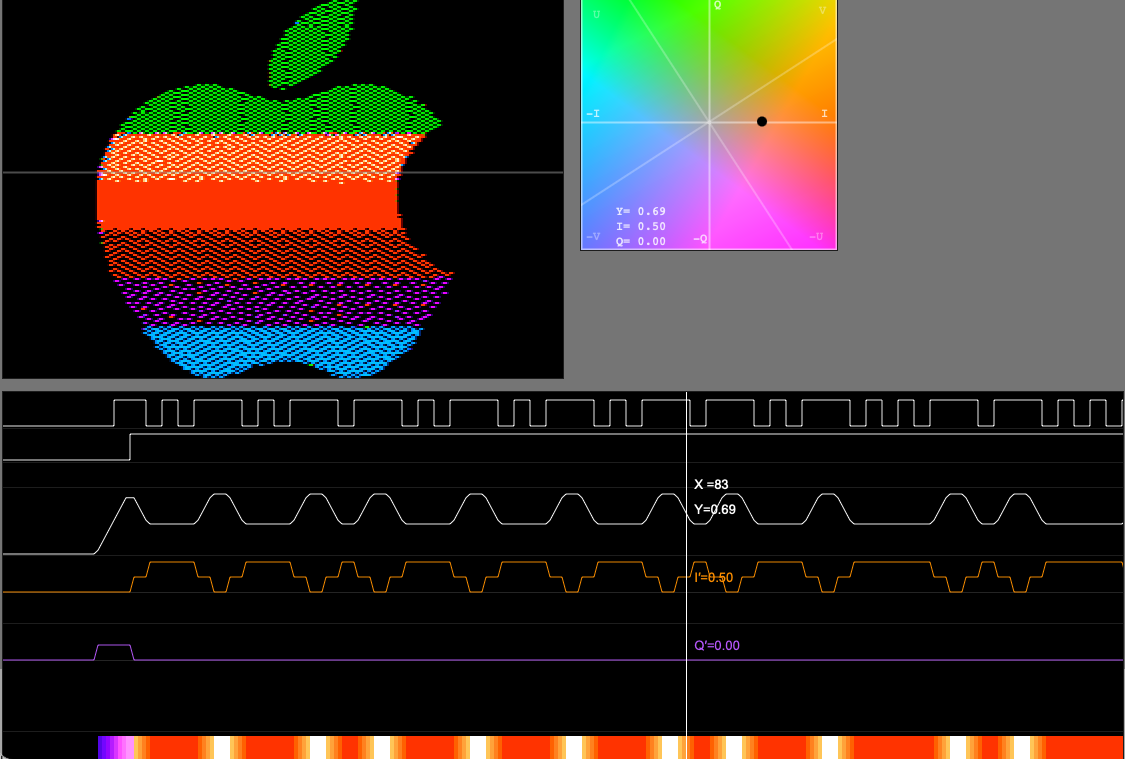
Last but not least, I did develop a few tools alongside that can be helpful to understand the Apple II+ even more. Check out the LAB tools section for more experimental stuff, e.g. a tool showing how the Apple II video circuit generates color signals on a CRT.
- Let me know what you think of this project in the comments, I'd very much appreciate your feedback.
There seems to be an issue with the character renderings using Safari.
emulator.jpg
Screenshot 2026-07-30 at 18.10.12.png
FWIW - running on Mac OS 10.14.6 (yes, I know its old) and Safari 14.1.2, I get this:
emu.png
and it doesn't boot. Sorta works in Firefox.
Here's an easy bug fix: On an original Apple ][, SHIFT+CTRL+M generates ASCII code 29 ( CTRL+] ), but your emulator generates ASCII code 13 ( CTRL+M ) instead
Congratulations on getting SHIFT+CTRL+N ( CTRL+^ ) and SHIFT+CTRL+P ( CTRL+@ ) correct. Those are rarely used, and thus easily overlooked.
/disks/Experiments/Vaporlockin preparation for Vapor Lock emulation. I know my emulator doesn't currently have that capability, but I'm convinced it's definitely possible.I've partially solved the display issue by opening up the settings sliders and clicking on the little "eyeball" icon for video mode, which seems to shift the video from mode to mode - I presume it's for scanlines/no scanlines? CRT emulation/distortion? Or perhaps it's RGB mode?
Something else? Anyway, after cycling through the button twice it displayed the text screen correctly.
I will also comment that running an uploaded disk image (in this case it was "bagman.po" found elswhere in this forum, is really really slow! Like painfully slow.
That's right! The eye icon is exactly the icon that allows you to switch from one screen driver to another. These are not setting changes, but screen driver algorithms based on fundamentally different principles (I'm sorry, but that deserves a bit more context, but we'll get to the point why your display option runs slowly):
Thanks I was able to play breakout very enjoyably.
The CRT emulation tool is interesting to play with. Is that Feynman in the test pattern? The CRT emulation is pretty good. If there is a way to make boundaries around a scanline segment (or pixel) not so perfectly rectangular it would be even better.
As for the disk access, I kept running into an issue where after inserting a disk the emulator would fail to recognize that anything had happened, i.e. cold starting would simply reboot the previous disk that was inserted (whether DO, PO, or WOZ). For WOZ I never got anything to work. If it is not supported a simple improvement would be to popup an error message when one is inserted.
I have a minor request, can you make the nameplate on the case more like the usual one, according to what I am aware of and remember it was in the center and looked a little different.
Regarding "perfectly rectangular" I mean the pixels or segments look like uniformly filled rectangles whereas the CRT would have blurry edges. Sometimes the artist counts on that. A simple example is a star field. Simply plotting a pixel or two would give you a pretty nice star on a CRT since you get an automatic Gaussian blur (roughly speaking). Whether it could be done very well in JS I don't know. Anyway nice work and its good to see the II plus getting special attention!